Engineering firms often handle CUI as drawings, CAD models, specifications, technical data packages, source files, test data, or software. The CUI Registry's Controlled Technical Information category specifically includes engineering drawings and related technical information.
In practice, the question that matters for a small defense contractor is narrower: does the requirement map to a specific control inside the FCI/CUI boundary, is an owner assigned, and is there current evidence it is actually operating?
The rule in plain English
CUI and export control can overlap, but they are not identical labels. The contractor should identify the governing CUI category and any separate export-control obligations rather than collapsing them into a generic 'ITAR file' rule.
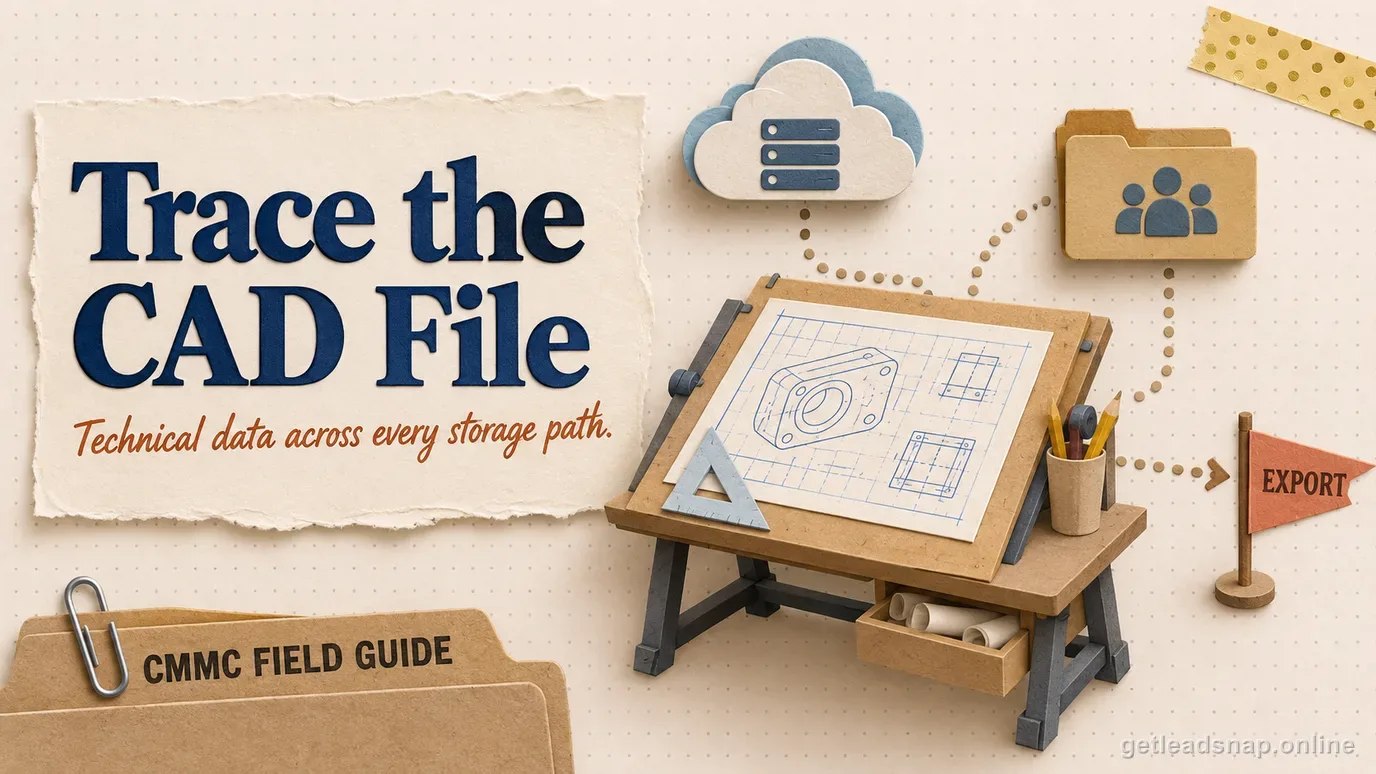
Engineering tools create copies in PDM/PLM systems, local caches, autosave folders, render farms, cloud collaboration, email, file transfer, and backups.
How to implement it without overbuilding
Trace one real design package from receipt through authoring, review, release, manufacturing handoff, supplier sharing, archival, and disposal. Include remote workers and third-party engineering tools.
Control exports to subcontractors and collaboration systems with approved identities, approved transfer methods, and a documented basis for what each recipient may receive.
What evidence to keep
Keep CUI category/source records, data-flow diagrams, PDM/PLM access evidence, CAD workstation inventory, file-transfer logs, supplier approvals, backup locations, and marking procedures.
Use actual engineering workflows in training and assessment preparation so the documentation matches how designers and engineers really work.
Where teams get into trouble
A frequent gap is unscoped local CAD caches or personal synchronization clients. Another is assuming export-controlled information and CUI are synonyms, causing either under-protection or unnecessary restrictions.
Small-contractor walkthrough
An engineering firm receives marked technical drawings, edits them in CAD, stores versions in PDM, sends a release package to manufacturing, and exchanges revisions with a supplier. Every cache, collaboration path, transfer service, backup, and supplier handoff can affect the CUI boundary.
- Identify technical-data categories.
- Map CAD and PDM/PLM copies.
- Control supplier transfers.
- Review local caches and sync tools.
CAD format alone does not determine CUI status
The CUI Registry's Controlled Technical Information category includes qualifying engineering data, drawings, associated lists, specifications, process sheets, technical reports, data sets, analyses, and software. The key is the applicable authority and contract context. A public commercial CAD model or an internal office layout does not become CUI simply because a CAD tool created it.
For defense work, check the actual technical package: markings, distribution statements, contract instructions, the relevant CUI Registry authority, and whether the contractor creates or receives controlled technical information in support of performance. Avoid the market shortcut 'every defense CAD file is CUI' because it overstates the rule and can expand scope unnecessarily.
Follow derivative technical data through the toolchain
Controlled information can persist in native CAD, neutral export formats, CAM files, drawings, PDFs, simulation inputs/results, source code, test data, quality programs, manufacturing instructions, and derived geometry or dimensions. Changing the file format does not automatically decontrol the underlying information.
Trace one technical package from customer portal or email to PDM/PLM, engineering workstation, CAD, simulation/CAM, print, shop-floor transfer, supplier exchange, backup, and final delivery. Include autosave, temporary folders, cloud rendering, license plug-ins, and collaboration integrations when they can receive technical content.
- Original technical package.
- Native CAD and derived exports.
- CAM/simulation/quality data.
- Print/shop-floor/supplier paths.
- Cloud plug-ins and external processors.
Export control and CUI must be analyzed together but separately
The CUI Registry also contains an Export Controlled category. A technical file may have both CUI handling requirements and separate ITAR/EAR or other export restrictions depending on the authority. CMMC does not replace export-control registration, licensing, nationality/access, or transfer analysis.
Coordinate the CUI boundary with the organization's export-control function or counsel. Record which information has CUI handling rules, which has export restrictions, who may access it, and which cloud/support providers are permitted. The same file can trigger multiple obligations at once.
Last-mile topic check
Review CAD license support and cloud processing paths because vendor diagnostics, crash uploads, rendering, or collaboration features can create external technical-data flows outside the main repository.
Check vendor support and licensing paths around engineering tools
CAD, simulation, PLM, and CAM products can send crash data, support bundles, telemetry, cloud renders, plug-in content, or diagnostic files to external providers. Review what those features collect before enabling them for controlled projects. A support ticket that automatically attaches a model excerpt can create a data transfer outside the approved engineering repository.
Document which online features are permitted for CUI projects and how users request vendor support when technical files may be involved. Use sanitized reproductions where possible and route unavoidable controlled transfers through an approved process.
Treat derived manufacturing and quality data as a classification question
G-code, inspection programs, measurement results, tolerance tables, and process instructions can reproduce or reveal controlled technical details even when the original drawing is not attached. Do not automatically classify every derivative as CUI, but do not assume a format conversion removed the underlying controlled information either.
Include engineering, manufacturing, and quality personnel in the data-flow review so the classification decision follows the real technical content across the production lifecycle.
Before you call the boundary done
- ✓Identify technical-data categories.
- ✓Map CAD and PDM/PLM copies.
- ✓Control supplier transfers.
- ✓Review local caches and sync tools.
- ✓Include backups and rendering systems.
- ✓Separate CUI and export-control analysis.
Common questions
Are all CAD files CUI?
No. CUI status depends on the information and governing authority, not on the file extension.
Can Controlled Technical Information include drawings?
Yes. The CUI Registry's CTI description includes engineering drawings and related technical information.
Is ITAR the same as CUI?
No. Export-control obligations and CUI handling can overlap, but they are distinct legal and regulatory concepts.
Do cloud CAD tools need review?
Yes if they process, store, or transmit protected technical data.
Is every defense CAD file CUI?
No. Apply the relevant CUI authority and contract context. Controlled technical information often lives in CAD workflows, but file format or customer alone does not designate CUI.
Official sources used for this guide
Open the primary source before making a contract-specific decision. Regulations and program implementation can change.